
In industries such as high-tech, you want to track the serial numbers of components that have been used in a particular assembly. These serial numbers may be nested according to a predefined hierarchy.
The screenshot below shows the serial number component for a particular production order, where we have a 2 level hierarchy.
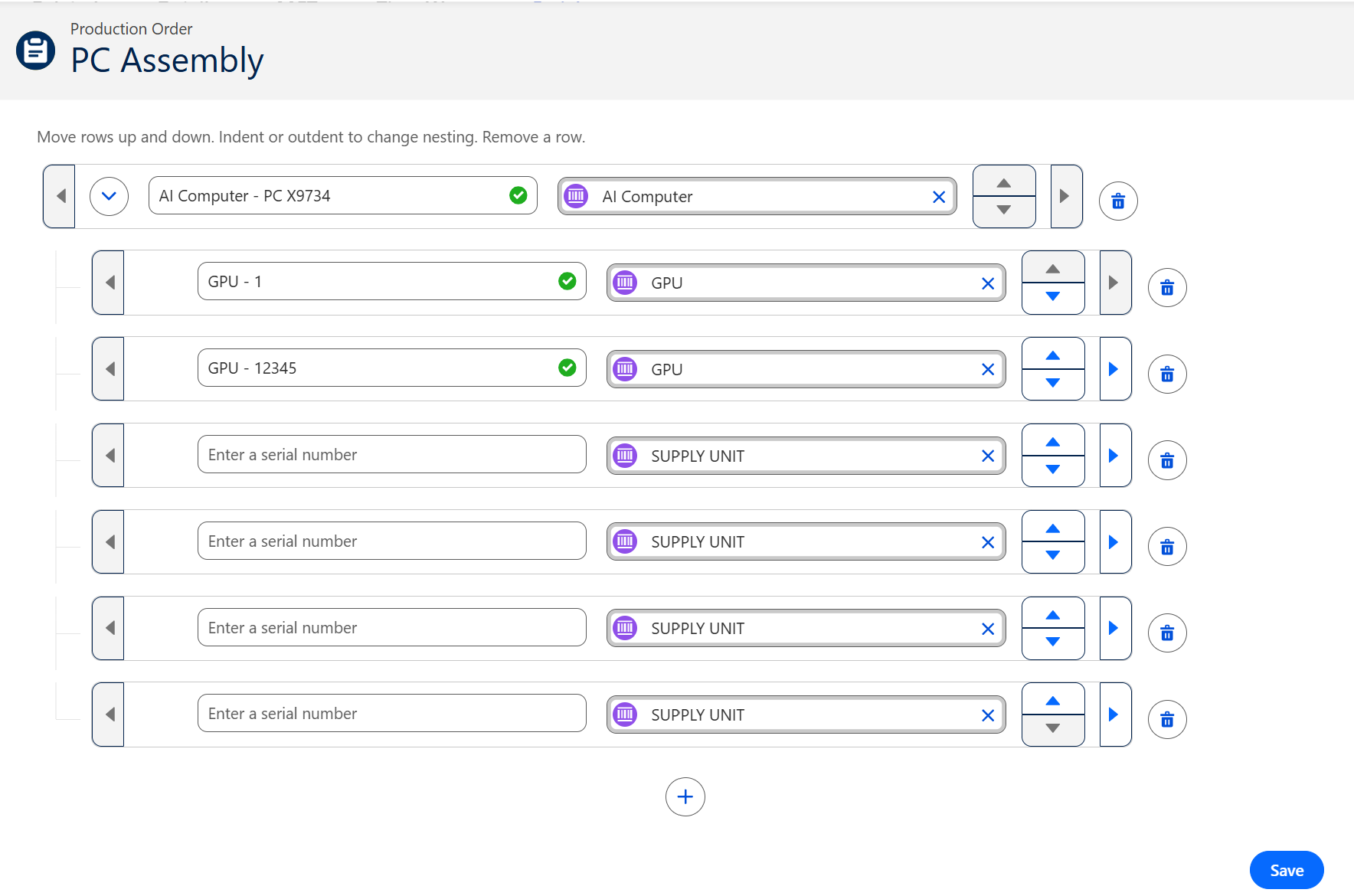
To set up the serial number component, follow the steps as outlined below.
Serial Number Hierarchy Setting
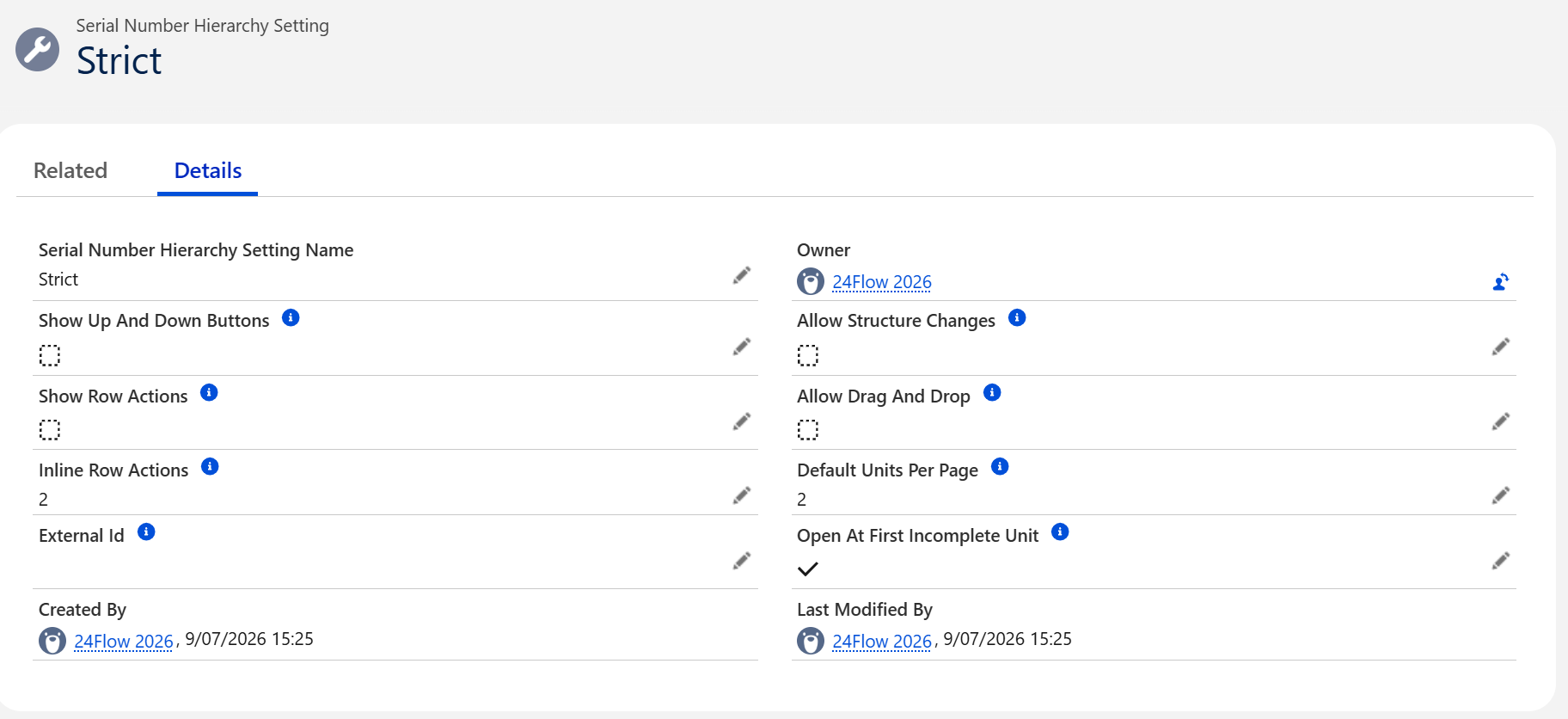
The serial number hierarchy setting determines the look and feel of the serial number component.
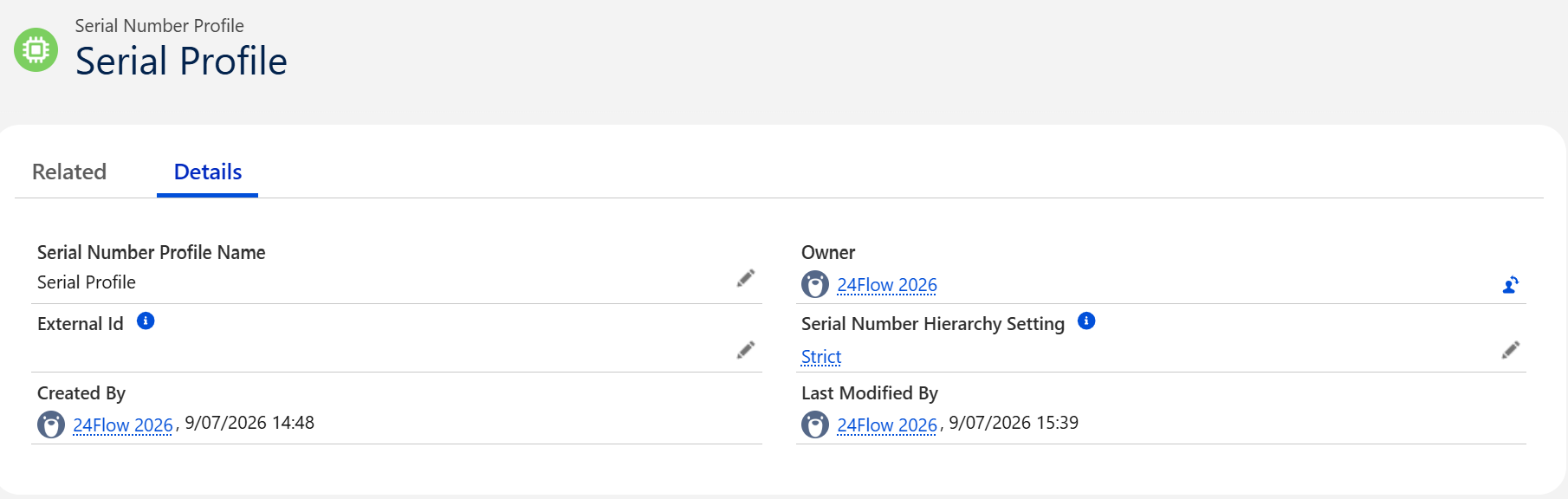
Serial Number Profile
The Serial Number Hierarchy Setting is linked to a Serial Number Profile.
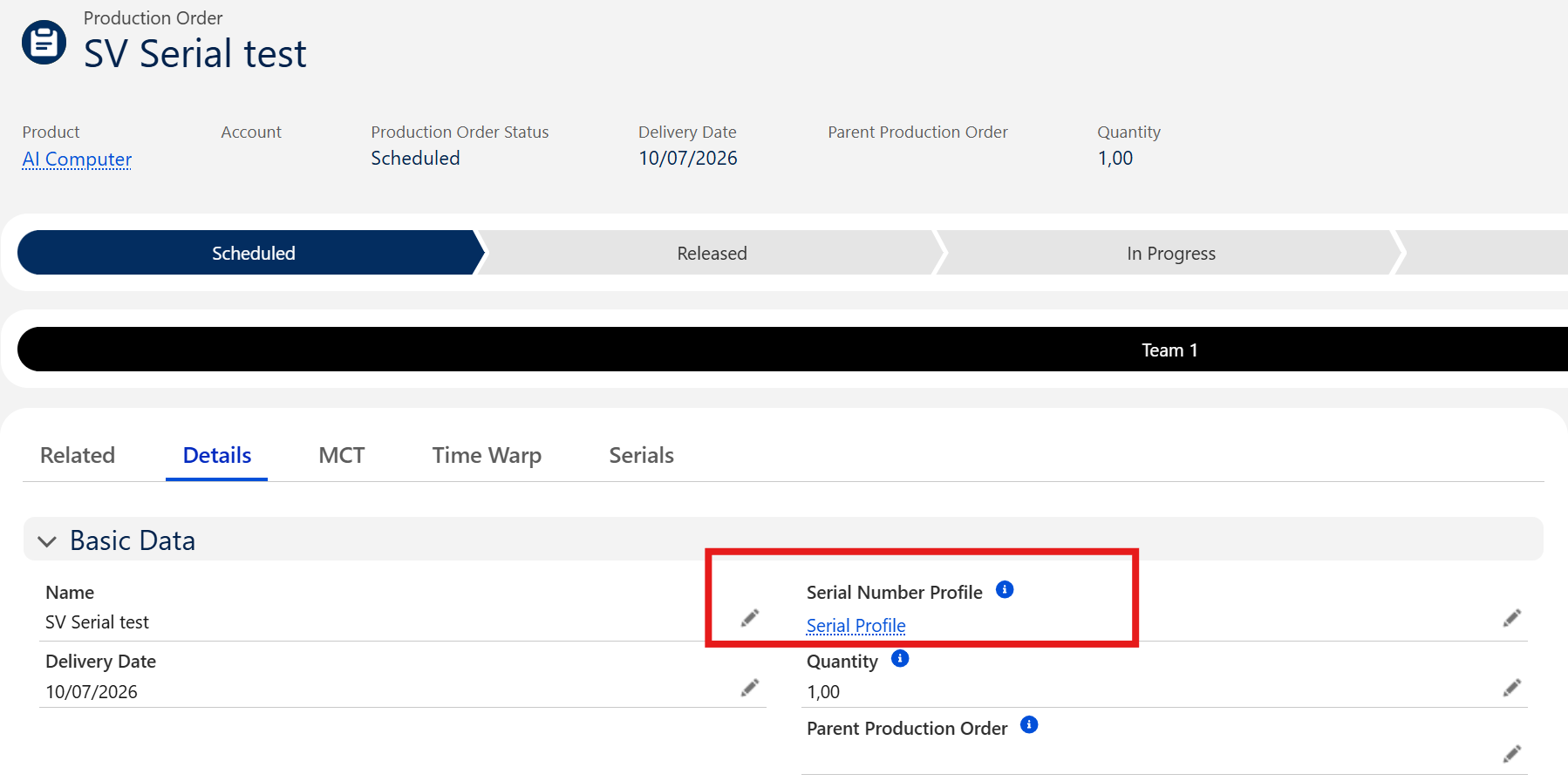
Production Order
In order to use the Serial Number Hierarchy for a specific production order, you must link the Serial Number Profile to the Product Order:
Operation Products
Finally, you also need to attach the Serial Number Profile to the individual Operation Products (components) as some of these components may have a serial number and others not.
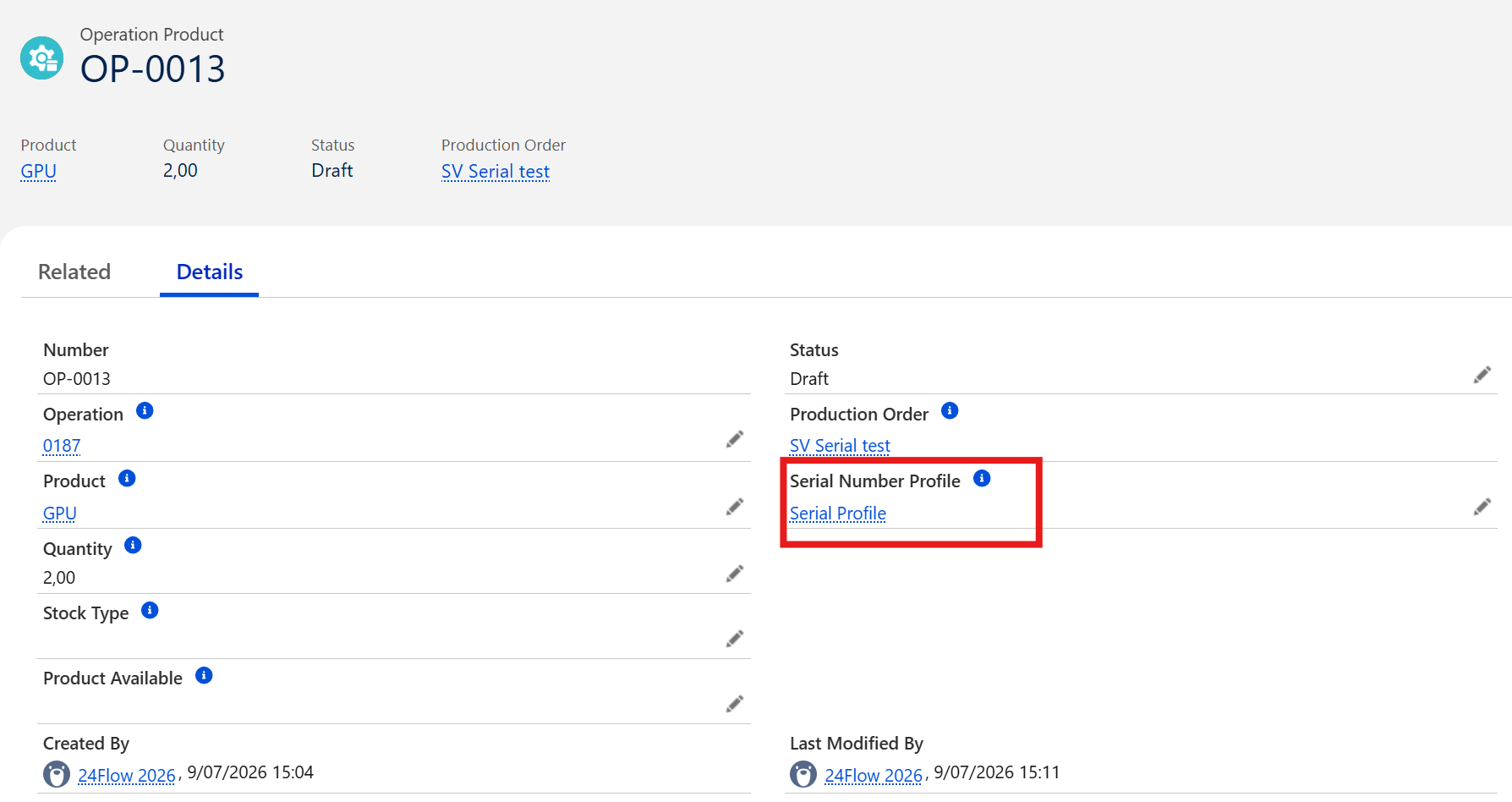
Working with subassemblies
If you are working with subassemblies, the serial number framework supports a hierarchy of production orders.
Component Settings
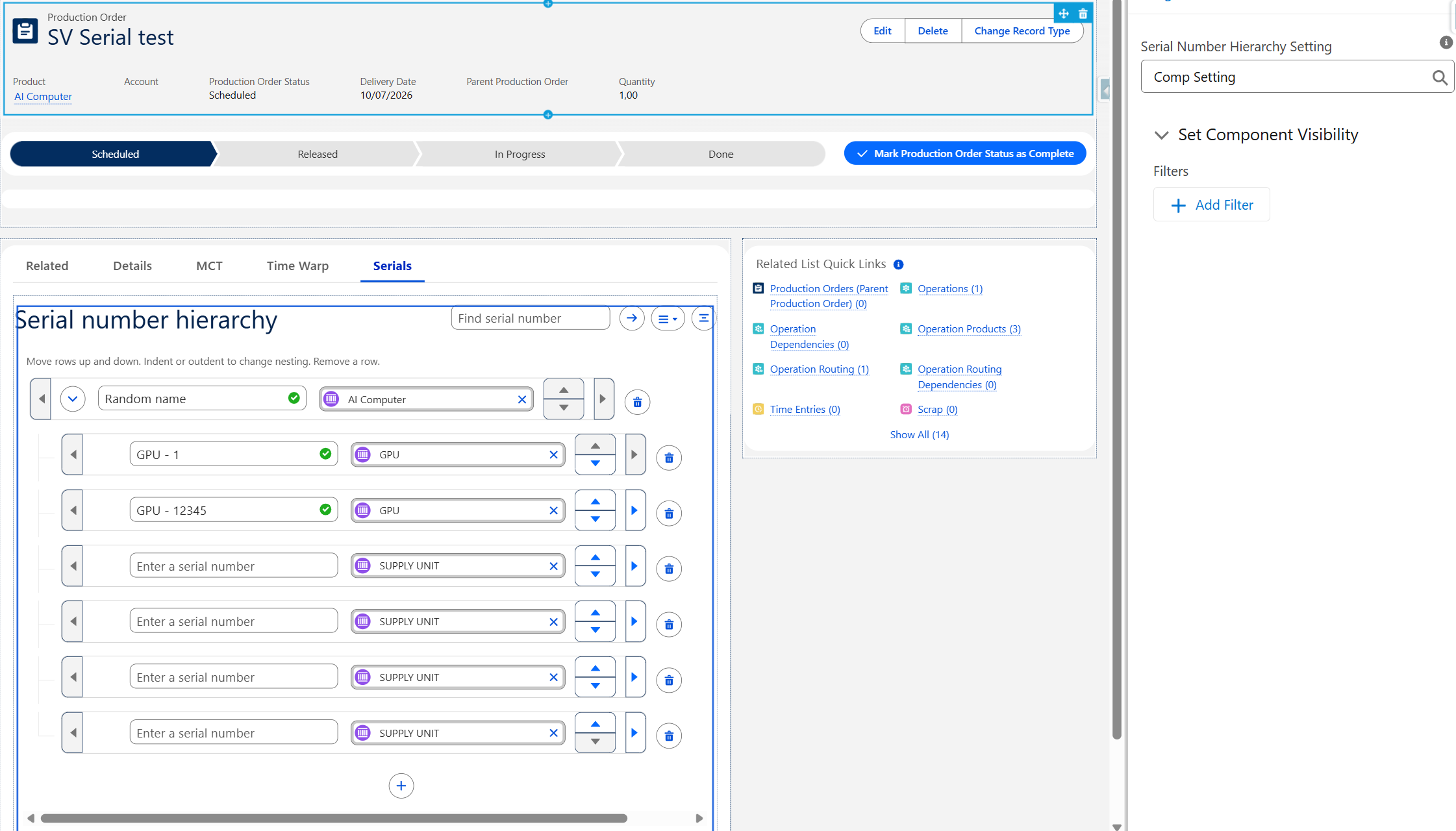
The behaviour is as follows: if the Serial Number Hierarchy Setting on the component is empty, the setting is taken from the Production Order. If the Serial Number Hierarchy Setting on the component is filled in, it overwrites the setting of the Production Order.