
24Flow captures a lot of data on the shopfloor.
In addition to the platform reporting and dashboarding module that allows you to build custom KPI dashboards, 24Flow supports custom components that make it more easy for operations managers to interpret the data from the shopfloor:
-
MCT Module for lead time analysis: as this is an important topic, it is covered in a dedicated section in this documentation.
-
Incident Overview: Kanban overview of incidents where the status of incidents logged in Team Cockpits can be tracked centrally, for problem resolution & continuous improvement.
-
Time warp component: The time warp component allows you to show events associated with a certain record. A prime example is showing events associated with a production order.
Time Warp
An example of the time warp component is shown below:
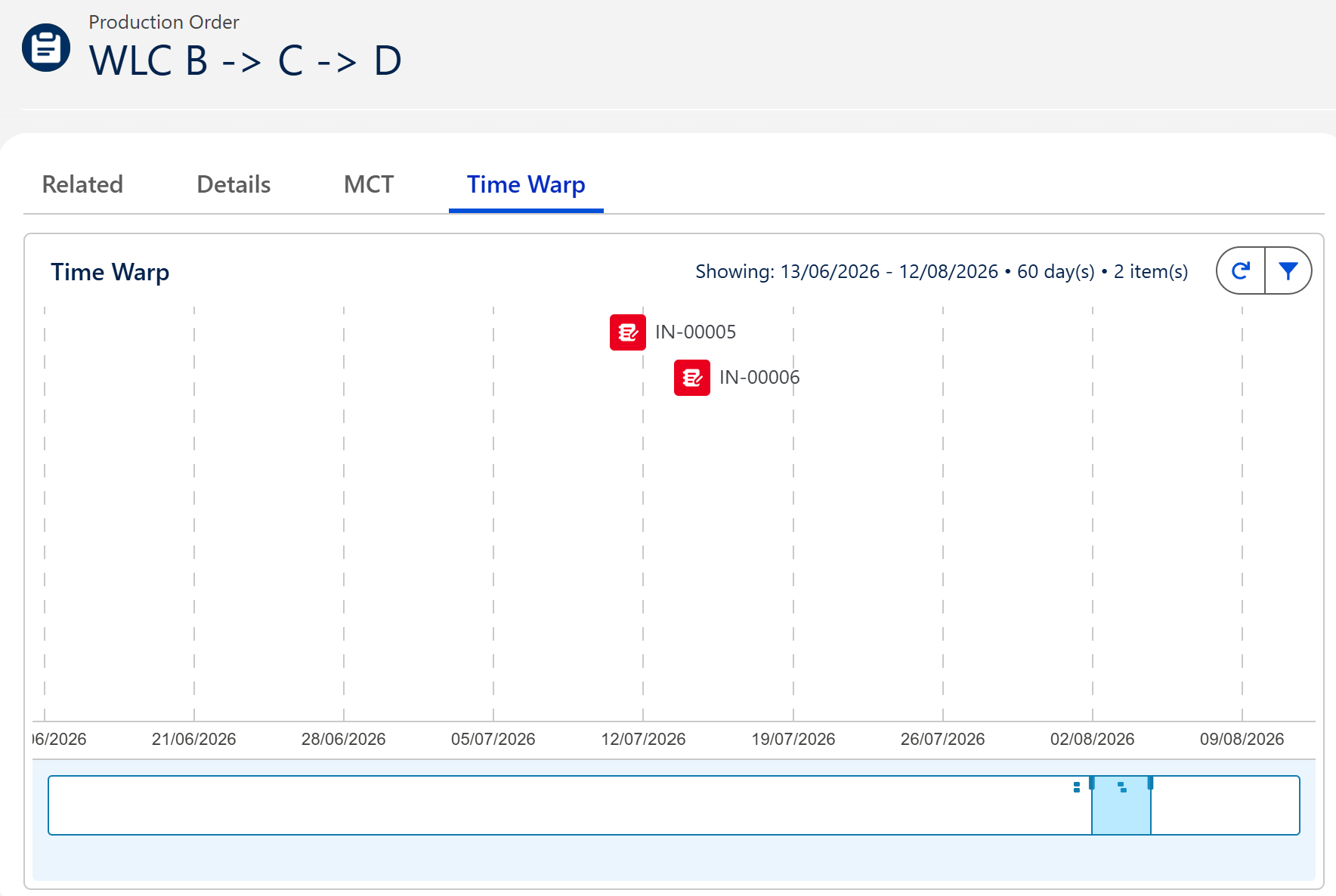
The horizontal axis is a timeline and the bar at the bottom allows you to select a custom time frame. The Time Warp component itself shows time warp capsules, events that are associated with the production order. In this example, IN-00005 is an incident logged on this production order.
The component itself exposes a number of configuration parameters that shape the look-and-feel, determine what type capsules should be show as well as the overall historic range that should be considered.