
You can enrich the Team Cockpit with an incident tracking component, as shown in the screenshot below:
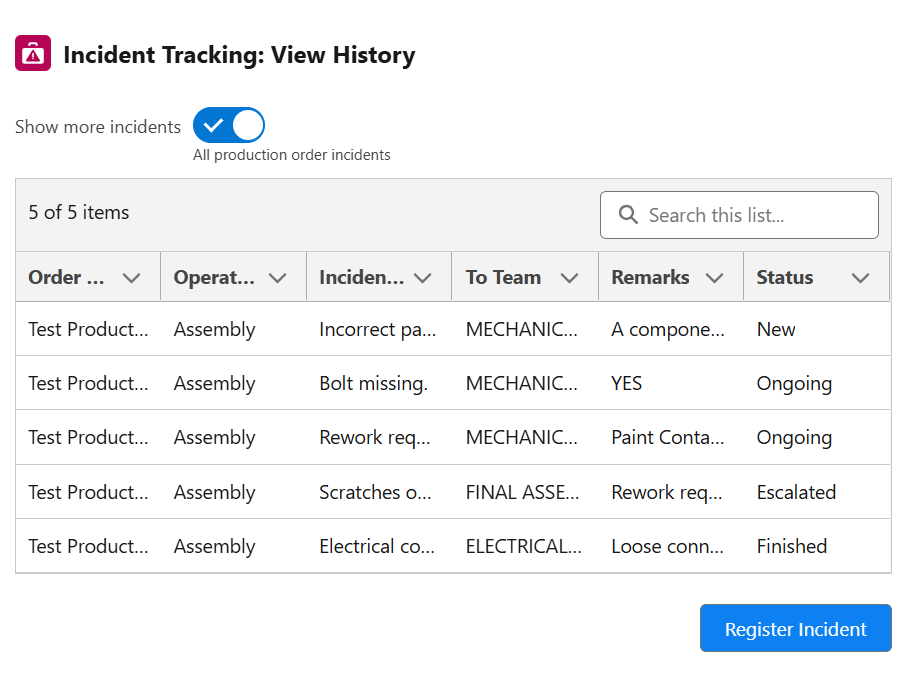
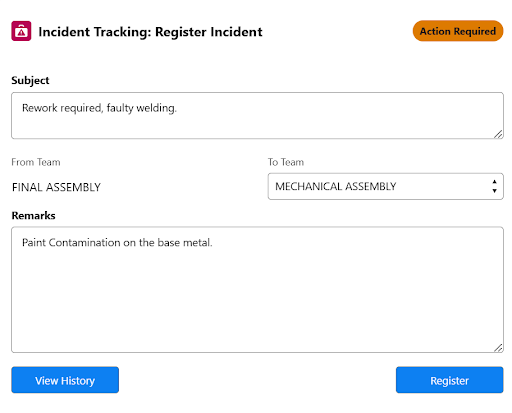
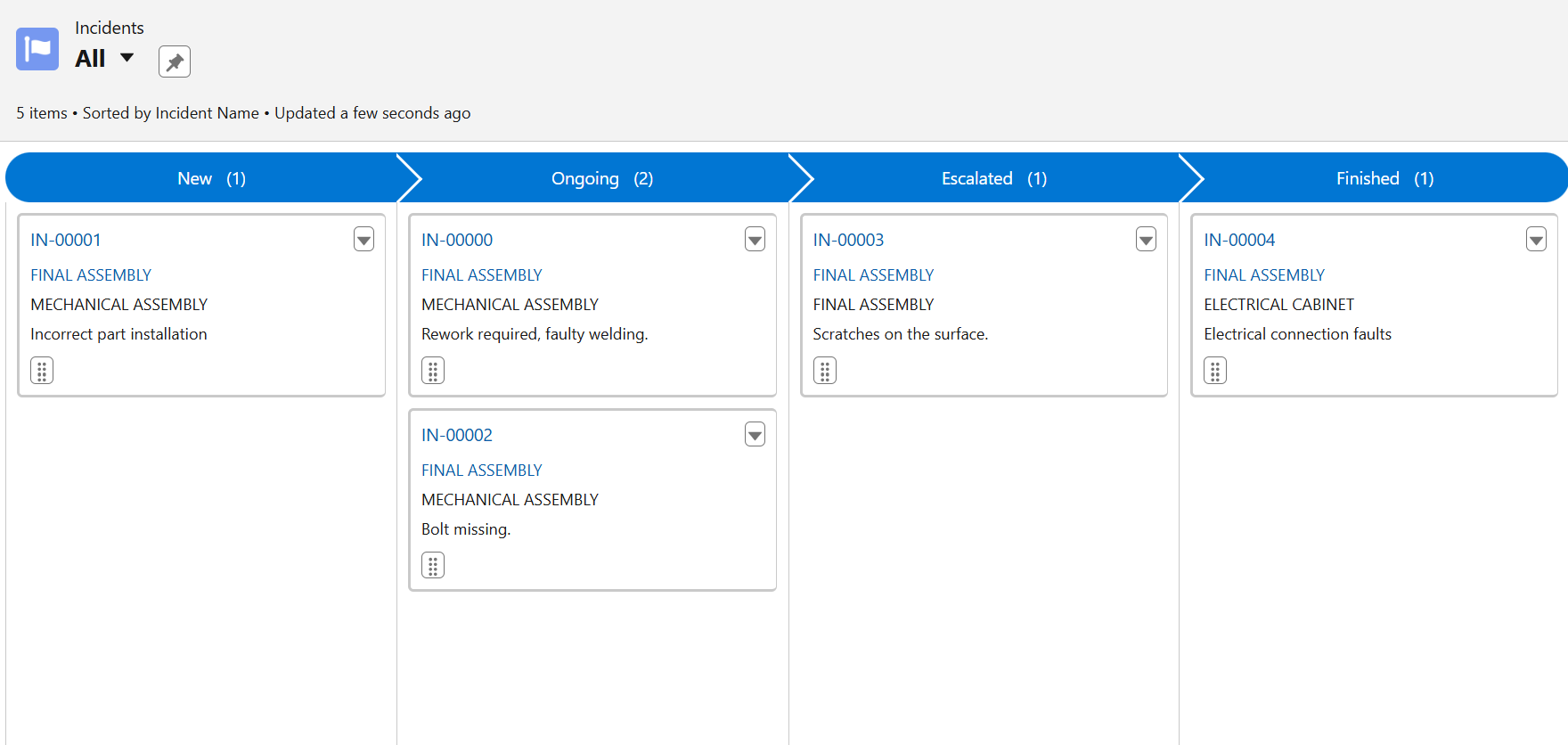
For team leaders, there is a Kanban overview of all incidents with their status. In this Kanban view filters can be applied to visualize a subset of the incidents.
The incidents are also visible on the record page of the operation and the production order.
The Incident Tracking component consists of:
-
An (editable) screenflow with API name
X24Flow_Incident_Tracking. -
Custom Metadata Types for general configuration.
Custom Metadata Types Configuration
To configure the Incident Tracking component, navigate to Setup > Custom Metadata Types > 24Flow Incident Tracking Setting:
-
Mode: Can be either set to Incident Tracking or Open Incidents. Incident Tracking shows the open incidents for the selected operation or production order. Open Incidents shows the incidents for the team that is specified as ‘Default Team for Open Incidents’.
Settings applicable to Incident Tracking mode
-
Default Production Order History View: Toggle between viewing incidents related to the operation or the production order.
-
Status Filter: Enter one or more status values separated by commas (e.g. New, Ongoing, Escalated). Use ‘All’ or leave blank to show all statuses.
-
View History Button Color: The View History button is visible when you register a new Incident.
-
View History Button Label Color: The View History button is visible when you register a new Incident.
-
View History Button Size: The View History button is visible when you register a new Incident. Small, medium or large.
-
Register Button Color: Color of the Register Incident button.
-
Register Button Label Color: Color of the Register Incident label.
-
Register Button Size: Small, medium or large.
Settings applicable to Open Incidents mode
-
Default Open Incidents View: Defines the toggle ‘Show Open Incidents’. When checked, the open incidents table will be displayed by default.
-
Default Team for Open Incidents: The External Id of the Team for which the incidents should be shown in the Open Incidents mode.
.