Sequencing of events for a particular resource can be done in the Planning board. It may however be more convenient to do that via a dedicated sequencing interface as shown below.
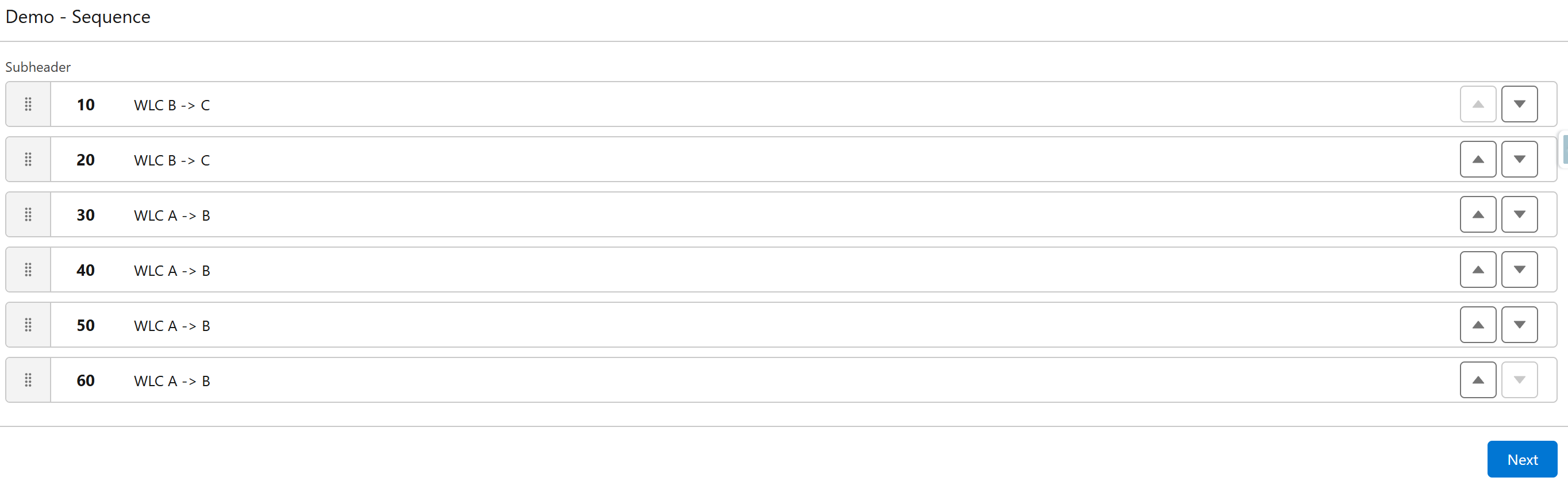
The sequencing component allows you to re-order events via either drag-and-drop or via up/down arrows. As soon as the new order is saved, 24Flow will (via the make-to-order functionality) recompute start and end-time of the underlying operations based on the new order. The 24Planning planning board then immediately reflects the new reality.
Sequencing is often used to reduce setup times for machine such that similar production orders are executed right after one another.
The sequencing component 24Flow: List Sorter can be embedded in a screenflow.