
The Create Chatter File Links for All Junctions invocable Apex method allows Flows to automatically create Chatter file links for SharePoint files.
Normally, Chatter links are generated automatically in the following cases:
-
At the initial load of the 24Files component on a record page, Chatter File Links are created for the files in the record folder (authenticated access mode) or in the public folder (anonymous access mode).
-
When a user uploads a file via the 24Files component, a Chatter File Link record is created for that file.
-
When a user opens a folder in the 24Files LWC component. In this case Chatter File Links are created for all files in the folder.
However, in backend-driven scenarios where folders and files are created entirely through automation, users may never manually open each folder.
In such cases, this batch method allows you to generate all Chatter links without requiring folder visits, making files Global Searchable and Chatter-ready immediately.
Note: we are also evaluating ways to better manage and clean up outdated or orphaned Chatter links.
24Files automatically generates Chatter File Links for SharePoint files. In large orgs, that can mean a lot of records. 24Files allows you to control the generation of these Chatter File Links via configuration options in the folder structure definition. You can enable/disable Chatter File Link generation for the record folder or its subfolders for both automated or Apex-triggered generation. Please see the 24Files Folder Structures section in the 24Files Manager Configuration part of this documentation for more information.
Using the Apex Action
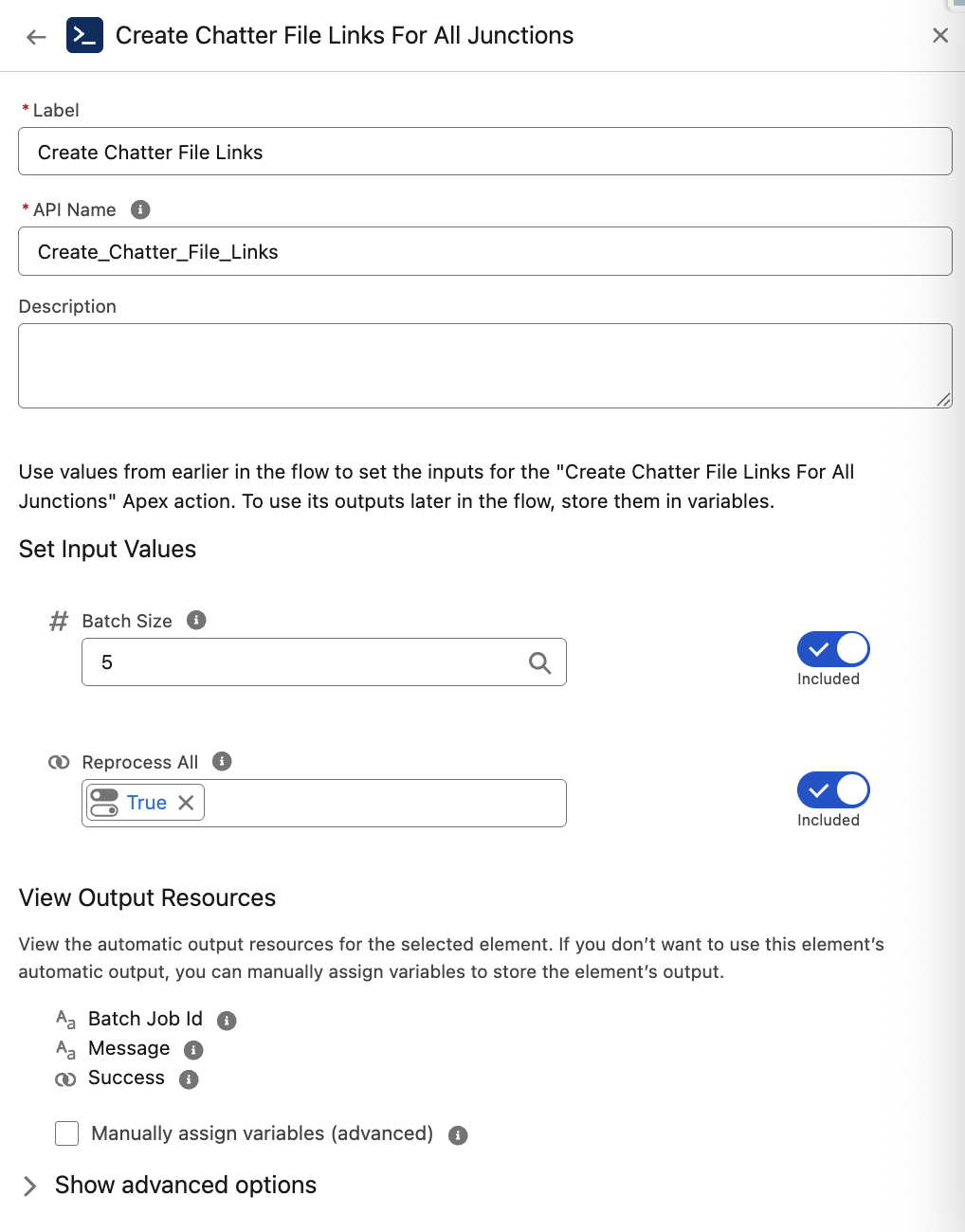
The batch can be invoked via Apex Action in a Flow. It accepts the following input parameters:
Batch Size: Number of junctions processed per batch execution (1–200). Default: 5
Reprocess All: If true, resets previously processed Folder Structure Junctions and regenerates all links. Default: false
Limitation: The batch only processes files in the active SharePoint Site Document Library. To respect Salesforce callout limits (100 per batch) and SharePoint throttling (429 errors), the batch automatically handles retries and resumes from checkpoints. Because of these safeguards, processing a large number of junctions, especially with Reprocess All = true, can take significant time. Plan accordingly when running large batches.
The batch method only processes records that already have entries in Sharepoint_Folder_Structure_Junction__c (records with 24Files that were manually visited). It is intended for reprocessing or updating existing junctions, not for creating new junction records.
See, also the section 24Files Apex methods for more details.
Please note that there is also a separate Apex action to create Chatter File Links for one specific record.