
24Flow Spring '25 Release
Team Cockpit & Team Cockpit Settings
New Page Layout
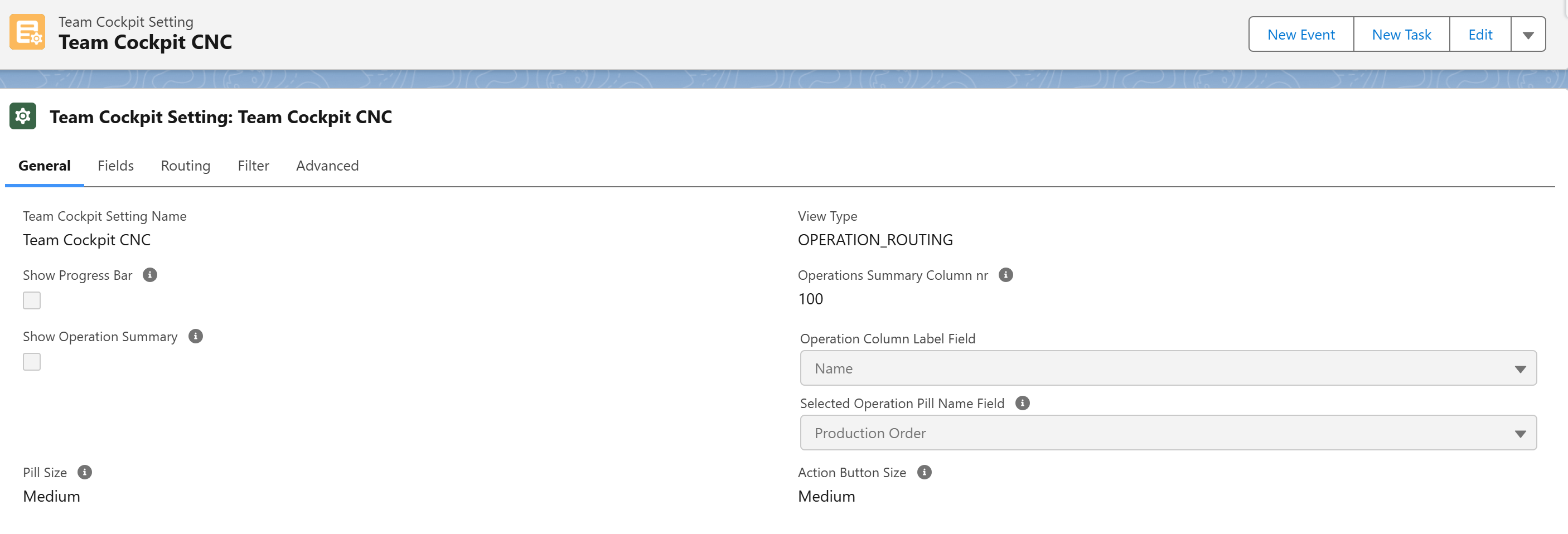
The layout of the Team Cockpit Settings page has been updated to be more structured and easier to navigate. Settings are now categorized as belonging to General, Fields, Routing, Filter or Advanced.
Hide the Operations Summary Column
It is now possible to hide the Operations Summary column from the Team Cockpit in case the View Type has been set to OPERATION_ROUTING. There is a checkbox on the General tab in the Team Cockpit settings to show/hide the Operations Summary column.
Highlight the From and To Team
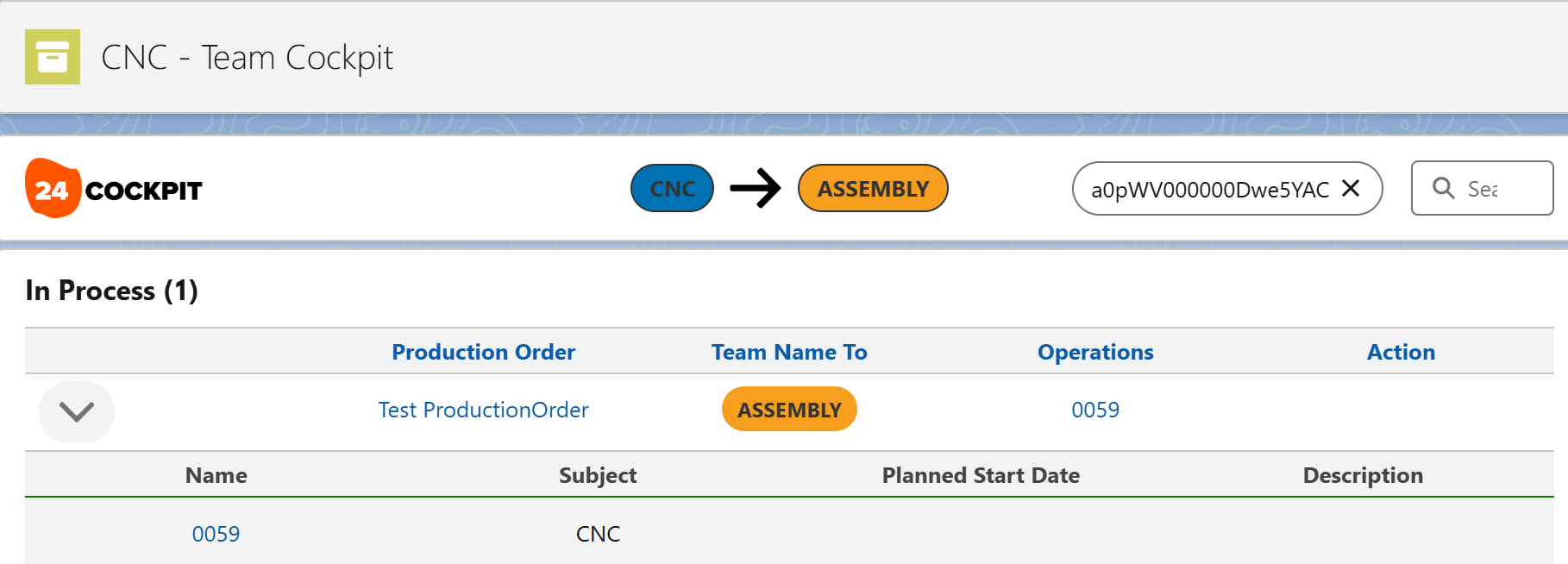
When an Operation Routing or Operation is selected, the From and To Team are shown in the header of the Team Cockpit, in their respective colors.
Manually Refresh Team Cockpit
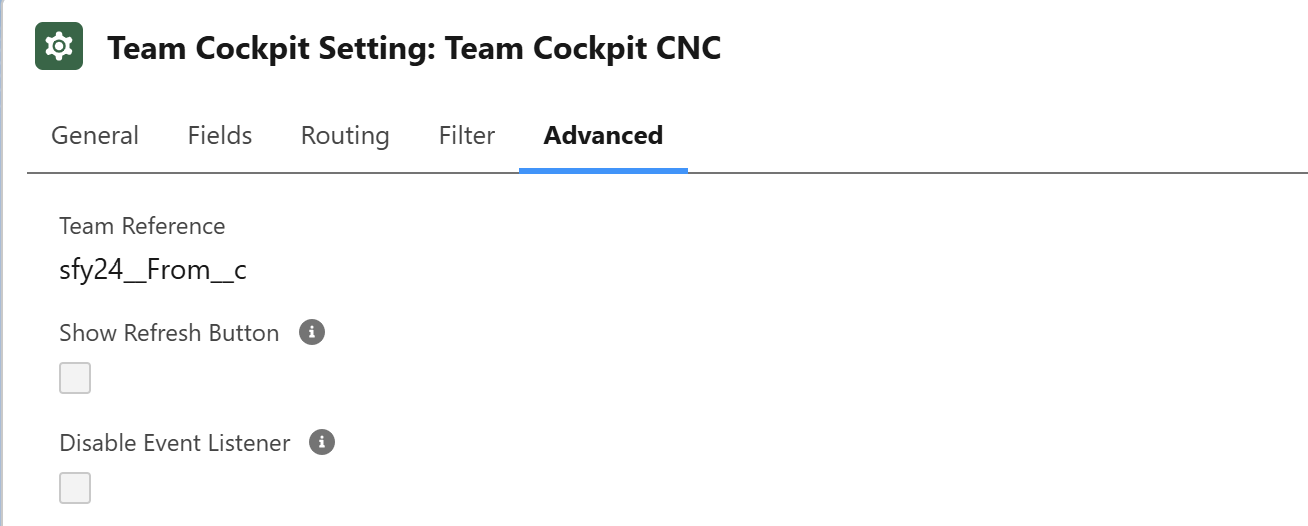
By default, when Operation Routings change, a platform event is generated that is consumed by all Team Cockpit browser windows. It is now possible to ignore these Platform Events and manually refresh the Team Cockpit. The settings are available in the Advanced tab of the Team Cockpit Settings.
Advanced Platform Event Filter
We have introduced more advanced configuration options that scale the platform when the number of Teams increases and/or the number of open Team Cockpit tabs in browsers rise; as both of these will have an impact on the number of Platform Events being generated/consumed.
The advanced platform event filter allows to define in more granular way to which specific Teams specific Platform Events should be delivered.
Please contact the 24Flow solution team for more info on how to configure this for your environment.
24Flow Screen Components
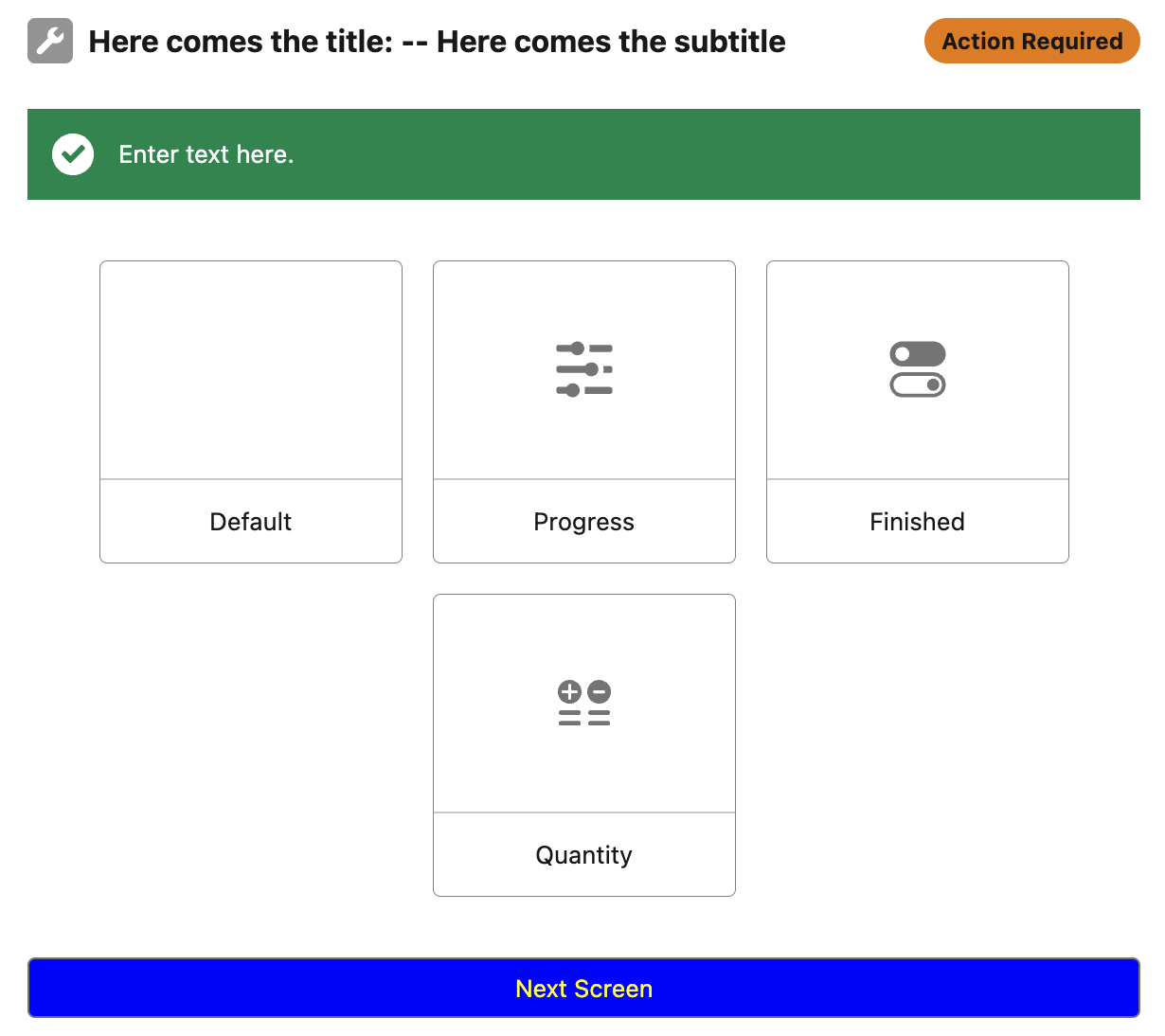
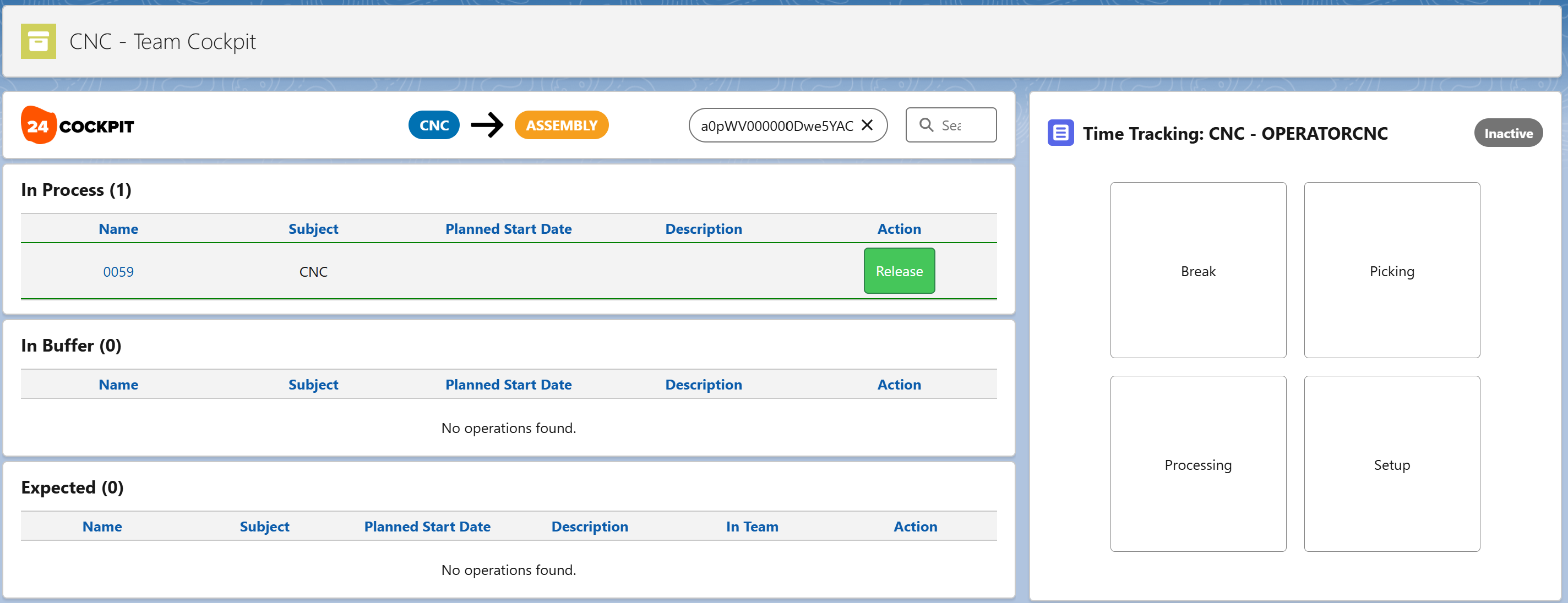
The 24Flow Spring release introduces a variety of generic 24Flow screen components that have been designed to be used in conjunction with the Team Cockpit. They are amongst others being leveraged in the Time Tracking component.
These custom screen components are easier to use and interpret in a production environment than standard Salesforce components.
For an extensive overview (with screenshots) please see here.
New Time tracking module
The Time Tracking module has been redesigned to be more easily configurable and to become more intuitive in its use. At the same time, the Time Entries & Time Activities data model has been revised. The behaviour of the Time Tracking component is governed through custom metadata settings. The detailed description of the time tracking module can be found here.
More Scheduling Options via MTO
The make to order package for 24Flow extends the 24Flow functionality in 2 domains:
It adds a number of out-of-the-box scheduling options, both on the production order and the operation level.
It adds capacity calculations both for teams and equipment.
In order to accomplish this, the Make-to-Order package adds the following components:
It extends the Production Order data model with a number of new fields.
It contains a set of Flows that trigger the (re)computation of a production schedule and capacity.
It introduce a set of metadata that allow you to tune the behaviour to your specific needs.
It contains logic, code and batch classes to compute the schedules and capacities.
The 24Flow Make-to-Order package enables a number of use cases, a non-exhaustive list:
Automatically enable backward scheduling of production orders based on the delivery date, whenever new orders are synced from the ERP system.
Automatically recalculate the production order schedule via forward scheduling when the start date of the production order is changed.
Automatically recalculate the production order schedule via backward scheduling when the end date of the production order is changed.
Plan based on bottleneck operations and apply backward and forward scheduling for respectively previous and subsequent operations.
Automatically compute the impact on capacity of various scheduling decisions. Capacity can be defined either at the team or the machine level, depending on your specific setup.
Define your own logic for automatically scheduling bottleneck operations, based on characteristics of the order e.g. priority, product type, etc. This allows you to group orders of a similar nature. Note that this capability is subject to a separate licensing module.
SAP Connector
Integration with SAP is hard and even more so in the context of manufacturing where the management of shopfloor operations requires access to many parameters that are maintained in the ERP system.
The 24Flow SAP connector is a productized connector for SAP ERP R/3 and SAP S/4Hana. It is agnostic of where your SAP deployment resides and works both across onsite and cloud based environments.
The SAP connector does not impose specific constraints except that the customer has deployed SAP GW, such that 24Flow can retrieve data in the Odata format.
The connector provides a two-way integration framework where (master) data can be synced from the ERP system to 24Flow and where shopfloor data such as time, quantity and scrap registrations can be fed back from 24Flow into SAP.
The connector makes use of SAP Remote Function Calls (RFCs) that are exposed as Odata endpoints.
The figure below shows the most important data that are synchronized by the connector.
The following data can be retrieved from SAP:
Material master data including material basic data, material plant data, material sales data.
Customer master data.
Planned orders data such as header data, operations, components.
Production versions to produce materials.
Bill of material.
Routings, including the standard values for the execution of the operation.
Production process data data such as PO header data, operations, components, production relevant tools, PO long text, Operation long text.
Relevant MRP data sent along with the production order (stock, shortages, replenishments).
The following parameters and data can be synced to or changed in SAP via the connector:
Time, quantity & scrap confirmations.
Transform planned orders into production orders.
Release of production orders in SAP with or without missing parts.
Change production orders in SAP.
The 24Flow connector serves as a ‘template’ and is offered as a configurable package that can be installed, customized and extended by 24Flow customers. The new SAP endpoints form a starting point for customers to build on. Working with the connector requires ABAP & SAP Basic competence as well as familiarity with SAP GW and Odata.
24Planning
HSL color codes
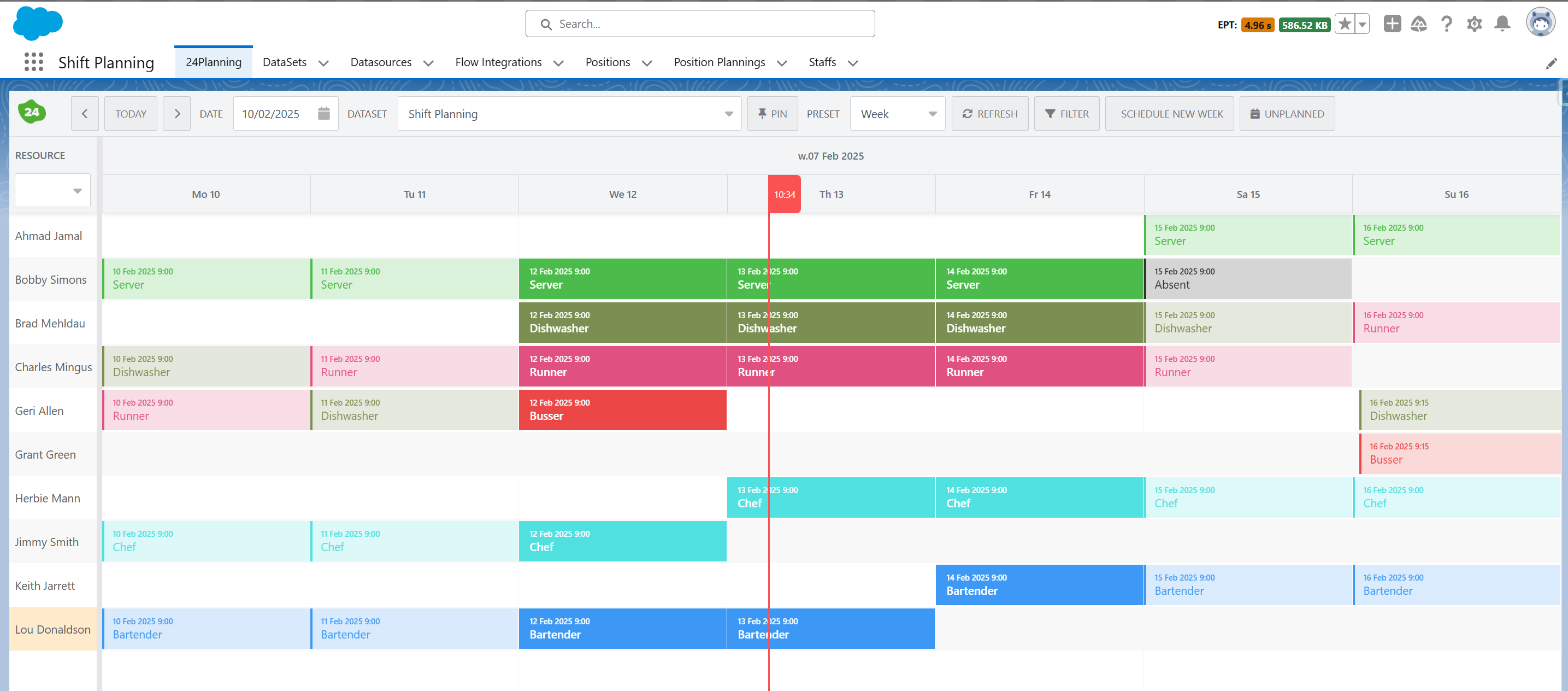
We have adopted a new color coding scheme for events that is visually more appealing. The color coding scheme is called HSL which stands for hue, saturation & lightness and is a cylindrical-coordinate representations of points in an RGB color model.
This HSL mode is especially appropriate to build colorblind friendly palettes. About 8% of males and 0.5% of females are colorblind. As colorblind people’s retina has difficulties to differentiate the Hue (the actual color), they rely more on the Luminosity (also named brightness). The Luminosity is the key parameter when building a colorblind friendly palette.
The definition of the HSL colors is maintained in the Salesforce Custom Metadata Types > 24Planning Colors.
Flow Integration
The Flow Integration concept is an extension of Datasource Rules available in previous releases. Datasource Rules allowed to check whether events adhered to rules specified through flows. Flow Integration extends this concept. In addition to rules you can now also specify actions via screenflows. I.e. via actions, you can create your own action buttons in 24Flow that trigger a screenflow. These actions can be for a single event or for multiple events and can be made available in the toolbar as well as in the (un)planned event menu options.
Read-only 24Planning View
It is possible to drag-and-drop a 24Planning component on page layouts and to configure it as read-only, i.e. users will not be able to replan events. Furthermore, you can restrict the access to one particular dataset, if required.
Assign a DataSet to a Group of Users
On the DataSet record, you can specify the Public Groups. Users that are not part of the public group will not be able to access the dataset.
Hiding the Datasource Column on the Resource
If you only have one datasource in your DataSet, you may decide that you don’t want to show it to the end-user on the planning board. You can now hide the datasource column via the configuration of dynamic fields.
The same feature can also be used to add additional columns in the left resource pane.
Auto-reschedule Parallel Events
In some cases, parallel events for the same resource are not desirable, e.g. a person may not execute 2 tasks simultaneously or have overlapping shifts. The datasource configuration now allows you to specify that 24Planning should auto-reschedule those parallel events and reschedule future and/or previous events in the planning window to accommodate the new event.
Editing Unplanned Events
It was already possible to edit events in the planning board (by double clicking). As of the spring release, you can now also edit unplanned events, by right-clicking on the unplanned event.
24Checklist
Date and Date/Time Check Input Types
24Checklist now support check date and date/time input types. If you are upgrading from an earlier release please follow the upgrade instructions in the app to take benefit from this feature.
24Files
Security Review
Our 24Files app passed another Salesforce security review. So upgrading to the latest version ensures that you are taking advantage of the latest and best secured version of 24Files.
New Apex actions
Upload Metadata: Use this action if you want to upload SharePoint metadata for a file.
Remove Folder: Use this Apex method to remove a specified folder from SharePoint.
New LWC component
So far 24Files has been built as an Aura component. We have now built an equivalent LWC component.
LWC is faster because it uses the native browser APIs and Web Components standard, reducing the need for heavy framework abstractions. Aura relies on more JavaScript processing, leading to somewhat slower load times and rendering.
In addition, we have decided to move the 24Files component configuration options to custom metadata types. This makes it easier to configure 24Files if you are using the component on multiple objects and want to ensure that the same configuration settings are applied to all of the components.
When you upgrade to the latest 24Files version, the Aura component is still available. Going forward new developments and feature additions will only be available for the LWC component.
Support for Salesforce API version 62
Update API version for 24Files classes & components to version 62.