
Modelling serial and parallel routings in 24Flow
24Flow is used across a variety of industries and use cases and each customer has it its specific requirements of how product orders are routed across the shopfloor.
The 24Flow product has a lot of flexibility in how you can set up the routing, more in particular:
24Flow allows you to work with multiple production orders that have each have different routing steps on the shopfloor.
24Flow allows you to work with production orders with subassemblies. These subassemblies can be built in parallel on the shopfloor.
24Flow has flexible mechanism to change the routing of a production order even after it has been released to the shopfloor, e.g. because of rework or unforeseen additional operations that are required.
24Flow allows you to work with parallel routing steps within one production order.
The latter is the topic of this section.
In the majority of cases, the production flow is sequential, i.e. routing step X+1 can be executed only after routing step X has been finished. In a parallel routing scenario, routing step X and X+1 can proceed in parallel, but routing step X+2 can only start when both routing step X and X+1 have been finalized. In other words, for parallel routing to work, 24Flow allows to model multiple dependencies.
The parallel routing has an impact across multiple modules of 24Flow:
Scheduling logic needs to take account parallel operations during forward and backward scheduling as well as for capacity calculations.
Team Cockpits on the shopfloor need to take into account (and visualize) the multiple predecessors before determining the status of a particular workorder.
For illustrative purposes, the below examples show forward and backward scheduling in action for work orders that have both sequential and parallel operations.
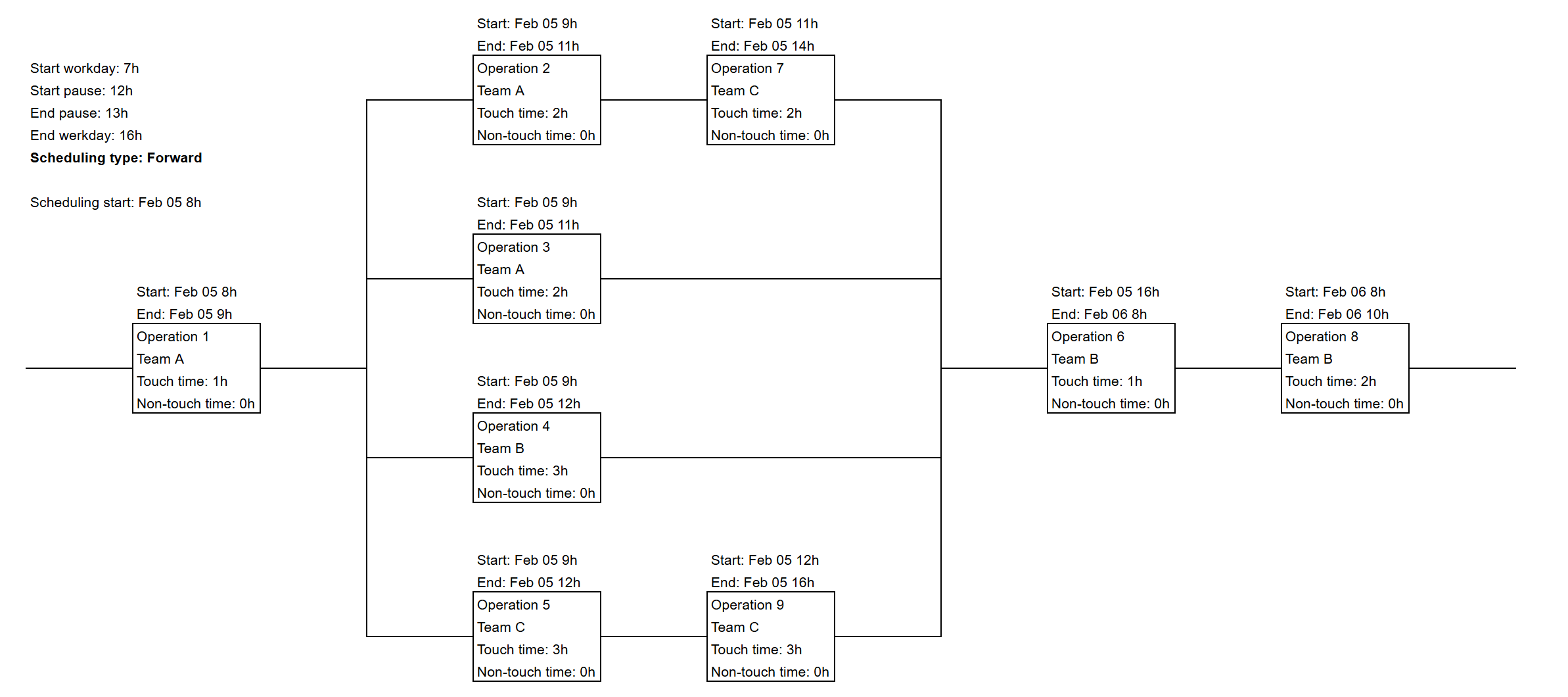
Forward scheduling.
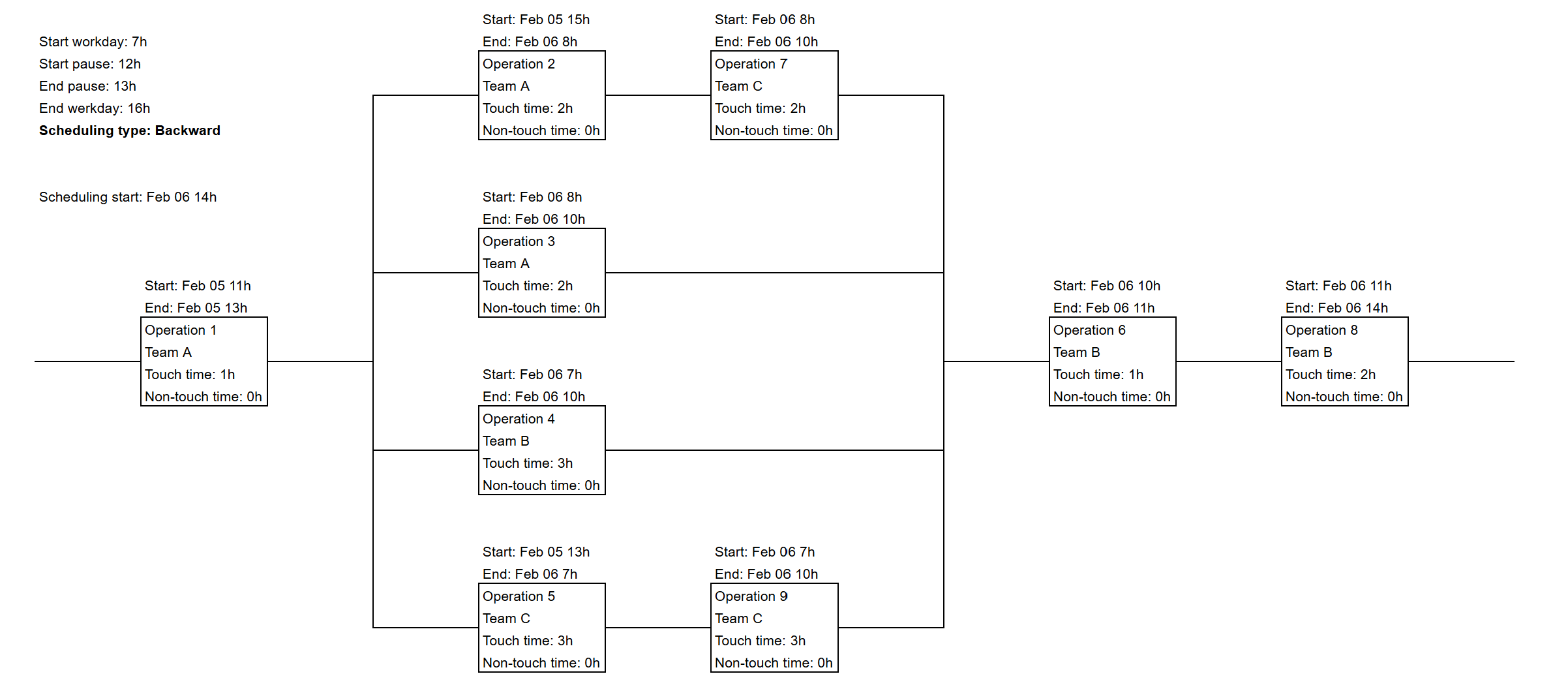
Backward scheduling.