
Assign 24Flow Platform Licenses
General Info
24Flow, built on top of the Salesforce platform, requires specific licensing considerations.
The licensing for 24Flow involves a combination of Salesforce and 24Flow licenses, ensuring that both administrative and functional 24flow needs are adequately addressed
Accessing Salesforce License Information in Salesforce
To view or manage the license information related to 24Flow:
Navigate to "Setup" in your Salesforce account.
From there, go to "Company Information."
Under "Company Information," you will find a section labeled "User Licenses."
Here, you can view the types and quantities of licenses available and used within your Salesforce environment.
Salesforce License Requirements for 24Flow Users and Admins
24Flow Users/Workcenters: Users or workcenters primarily interacting with 24Flow should be assigned the Salesforce Platform License.
24Flow Admins: Administrators responsible for managing and overseeing 24Flow within your Salesforce environment should be assigned the Salesforce License. This license provides comprehensive access to the Salesforce suite, allowing administrators to fully manage and customize the 24Flow package, along with other Salesforce functionalities. It's essential for those who require deep access to the system for configuration, customization, and user management.
Accessing 24Flow User License Information
To get an overview of the 24Flow user licenses that are not yet assigned to a user, go to Setup and search for Installed Packages. In the overview of the installed packages, click on “Manage Licenses” for package 24Flow.
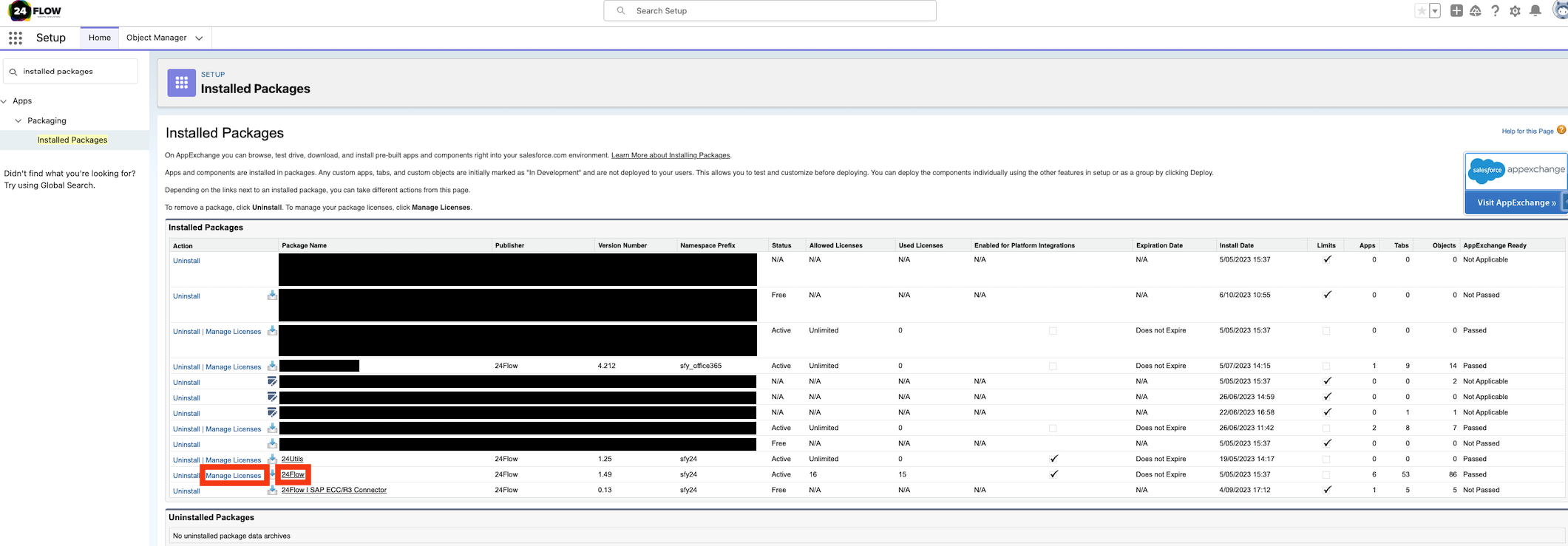
Overview of all installed packages. To manage the 24Flow licenses, click on “Manage Licenses” for package “24Flow”.
By clicking on Manage Licenses, you will get an overview of all activated licenses (i.e. Allowed Licenses) and all used licenses as well as an overview of all users to whom a license has been assigned.
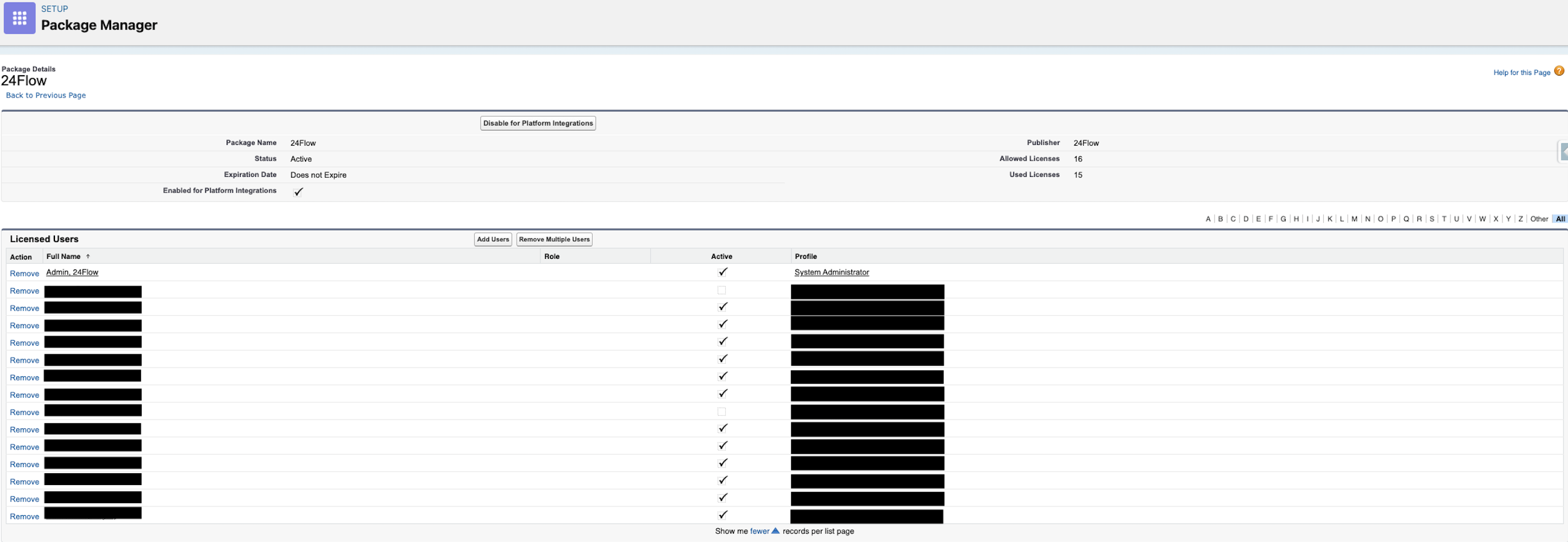
An overview of all users that have a 24Flow license assigned.

In case you need additional licenses, please contact your 24Flow account manager.
In order to assign new users to a 24Flow license, click on Add Users. The below screen will be displayed.
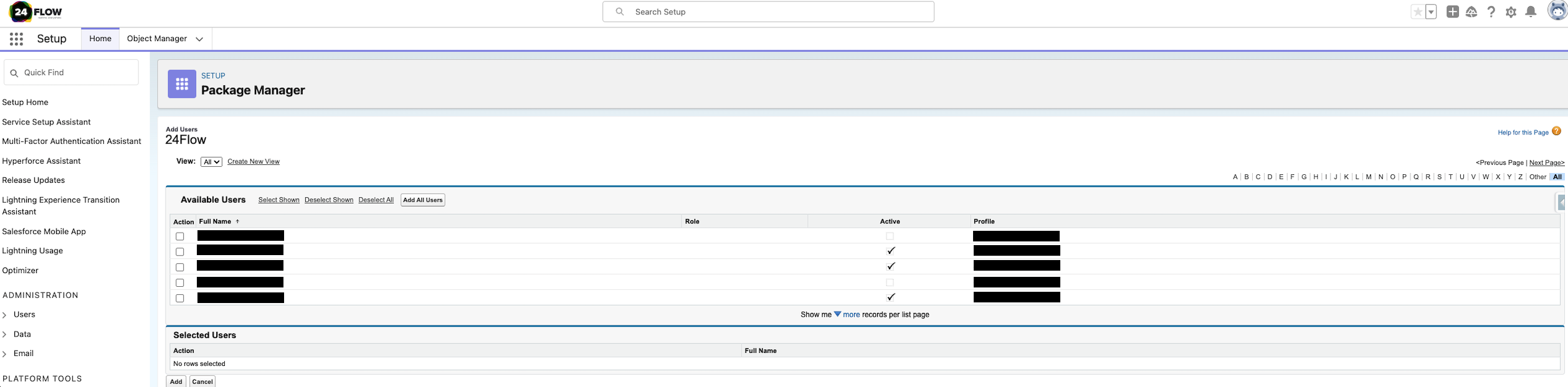
To assign new users to a 24Flow license, select one or more users and click on the “Add” button.