
24Flow Spring '23 Release
Order Pool & Order Pool Setting
Benefit:
The user can now:
Easily configure his Order Pool via a more straightforward Order Pool setting page.
Tackle more use cases via additional configuration parameters.
Release orders in a more convenient way via an improved user interface and new Order Pool functionality.
Description:
New user interface and functionality to configure an Order Pool. The user has now the ability to easily set:
Select columns to display: Improved user interface to choose which fields should be displayed in your Order Pool.
Select Fields to Search: The user can easily search for a particular order via the new search functionality in the Order Pool. Select the fields you want to be able to search on in the Order Pool.
Select Fields to Sort: Added multi-sorting capability (ascending, descending or a combination of both). Apply the required sequencing rules (e.g. FIFO, SPT, EDD, ODD, custom sequencing, etc.) to the Order Pool via this multi-sorting capability.
Release Button Location: Choose to have a release button per row and/or a release button on the top right. Via the release button on the top right, you can select multiple rows and release them in bulk.
Filter: Apply filter logic in order to show only your relevant orders.
Expand by Default: In case you are showing sub production orders, you can choose to have them by default expanded or not.
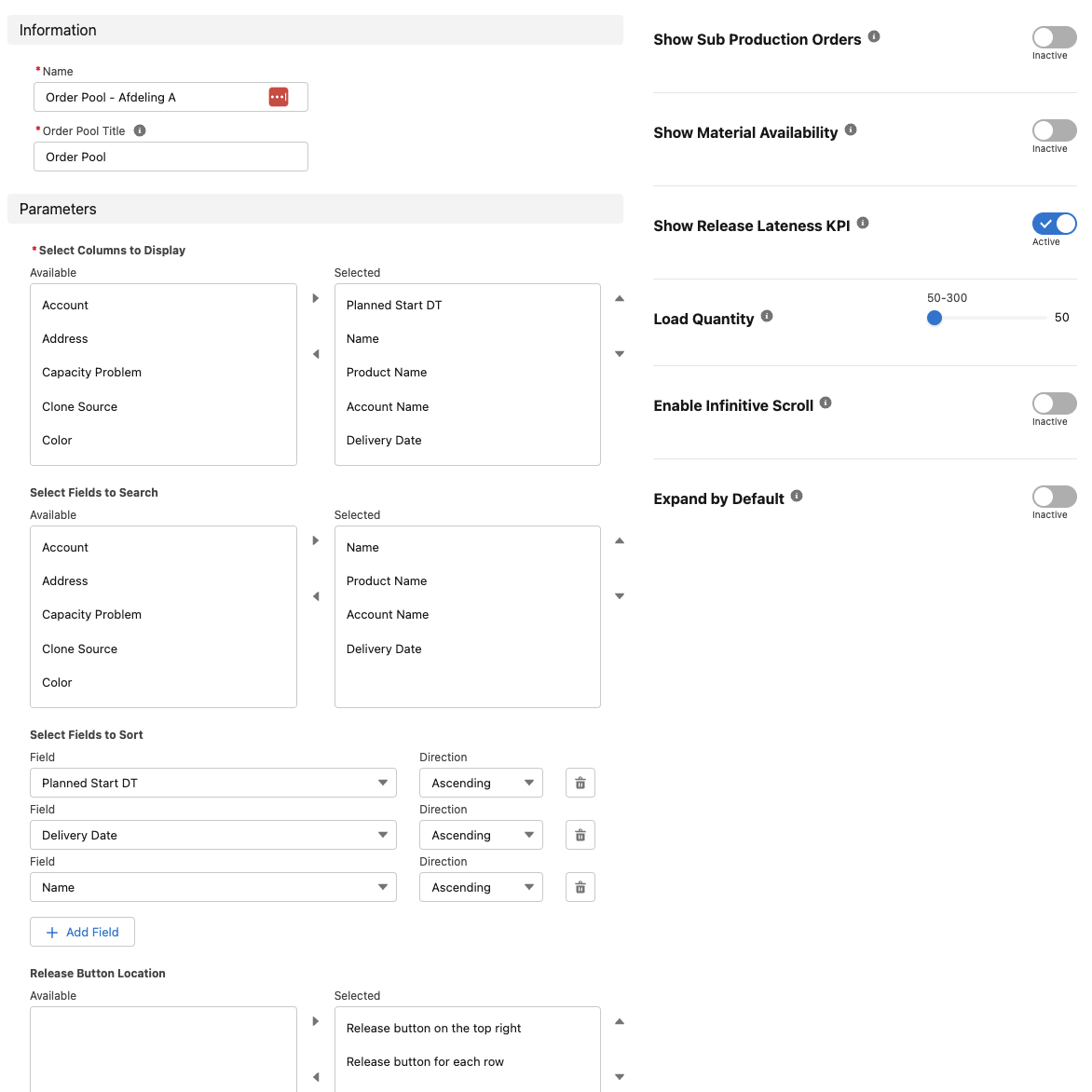
New user interface & functionality for Order Pool settings.

Additional search functionality and improved release action user interface.
Printing Agent
24Flow integrates local printers by creating a connection between the cloud and desktop via our own printing agent. Additional flexibility and improved functionality of the printing agent.
The user can now trigger the printing agent via the Salesforce Flow builder. Based on the context, the user can now define:
Which printer needs to print a certain document
When the printer needs to print
For example, the user can choose to let the printer, located at the desk of the team leader, print a production label when releasing the order or let the printer located at the workstation print the label when the first operation of the bill of labor is claimed.
Improved Exact Online Connector
24Flow integrates with ERP systems such as Exact Online to retrieve production orders, target delivery dates and potentially routing information.
The 24Flow spring '23 release Improves our Exact Online Connector:
Improved sync functions and mapping screen.
Added the sales order object.
Improved scheduler.
Tooltip and Layout Improvements
Added new tooltips and improved layouts for the 24Flow managed objects.
Alpha Release - MCT (Manufacturing Critical Path Time)
Benefit:
The user can now:
Analyze his process of interest by creating visibility on throughput time, touch times and waiting times.
Zoom out and analyze the complete value chain by creating visibility on throughput time, touch times and waiting times.
Analyze throughput times for a certain set of production orders (for example, all production orders for product x) over a certain time period.
Description:
The user can define his own MCT map by defining MCT Steps and logged waiting times. Based on the definition of his MCT map, he can generate MCT maps based on actual, real time data.
In this alpha release, there is no visualization yet of the MCT map. In the 24Flow summer '23 release, the MCT Visualization will be added, see mock-up screenshot below.
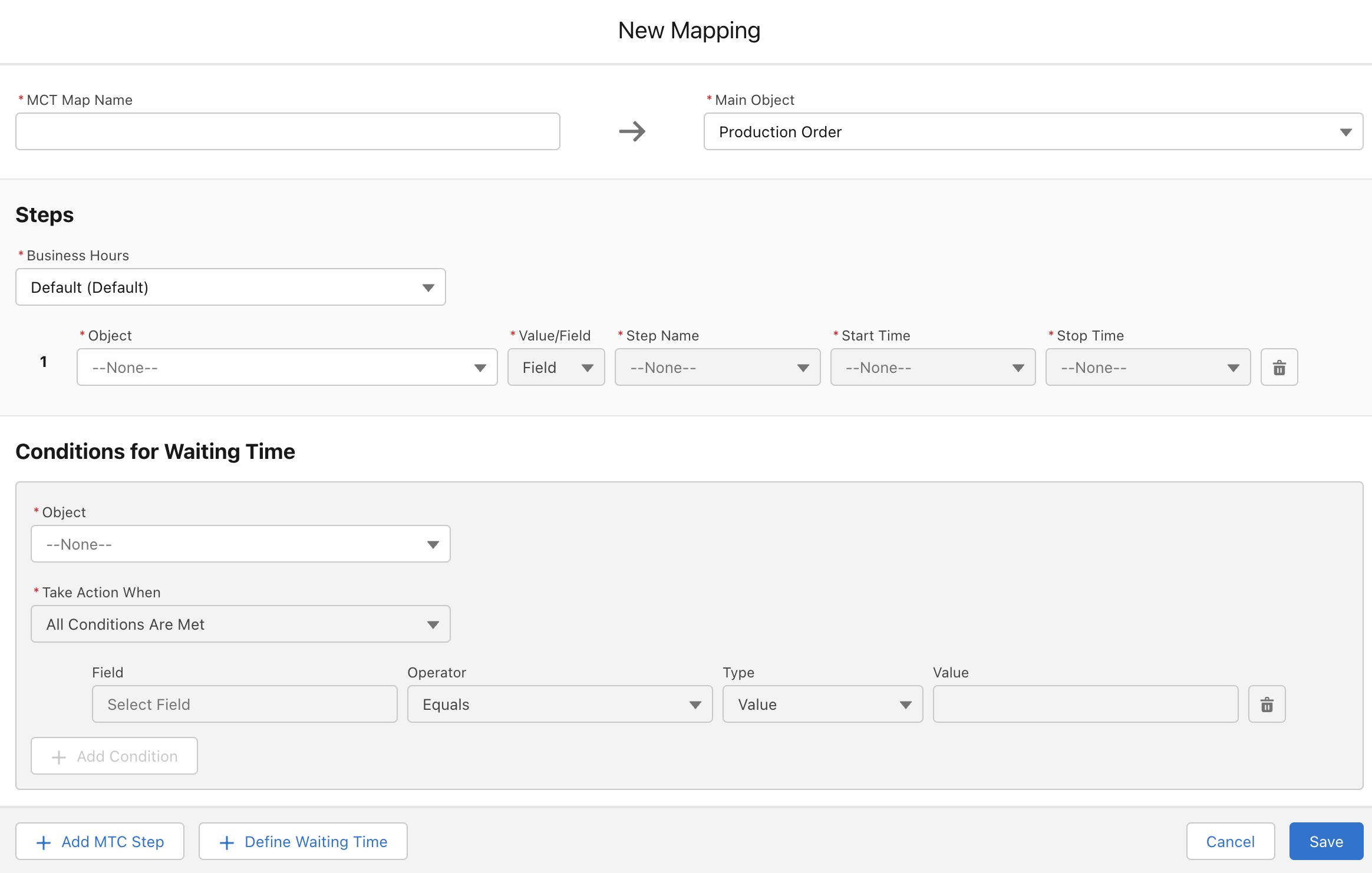
The user can define his own MCT map via the MCT settings page.
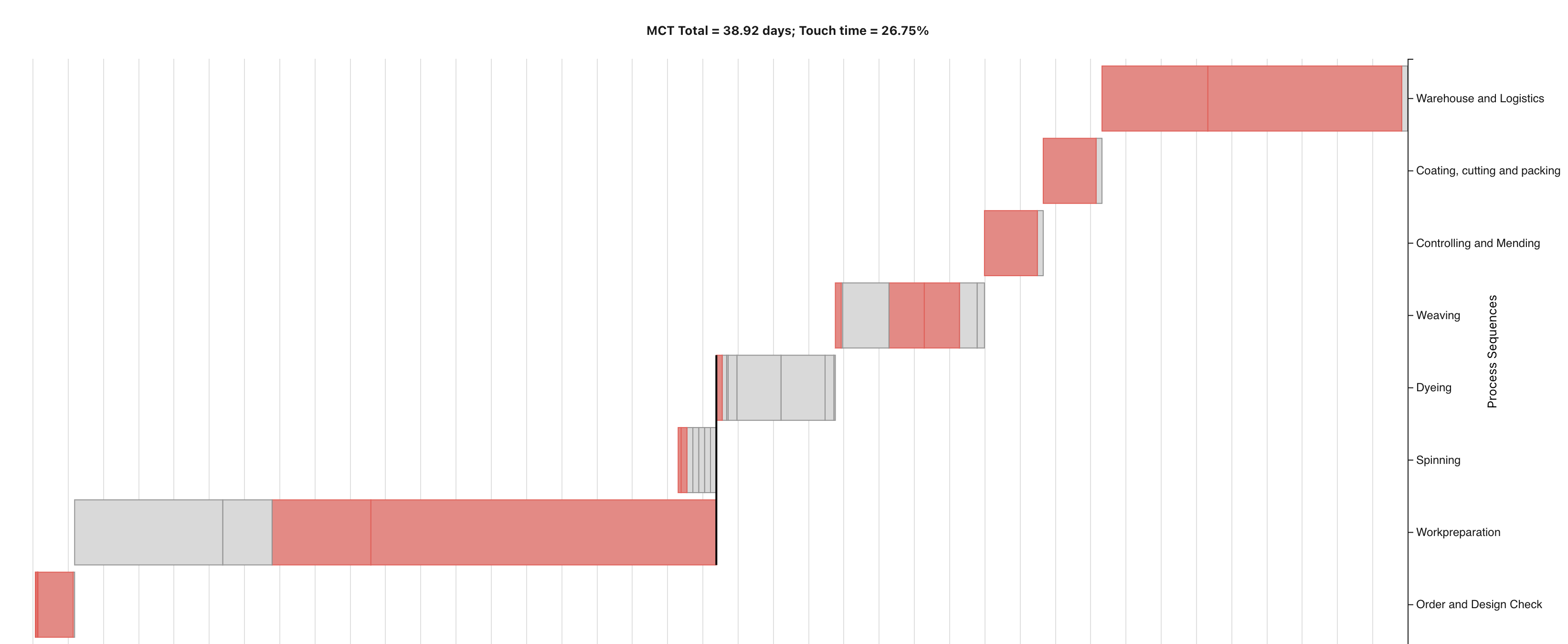
Mock-up of the MCT Visualization (summer '23 release).
Sub Releases
The 24Flow Spring '23 Release consists of the following sub releases:
v1.12.0
v1.13.0
v1.14.0
v1.15.0
v1.16.0
v1.17.0
v1.18.0
v1.19.0